
Fill. Sign. Send. On-Site.
Create invoices, estimates, change orders, and more — directly from your phone before you leave the job.
One-time payment · Lifetime access
✓ 7-Day Money-Back Guarantee
See it in action
This is an example of how the toolkit's forms work — not an actual form from the toolkit. Fill it out, sign with your finger, and watch it build a sample PDF.
Fill. Sign. Send.
This is a working sample of the toolkit's mobile forms. Go ahead — use it.
You Just Used the Portal
You filled, signed, and generated a professional PDF — in under a minute, right from your browser. Every toolkit membership includes the full Mobile Forms Portal with all 10 forms, plus downloadable PDF versions you keep forever.
Lock in the $27 founding member price before it goes to $47. One-time payment, lifetime access.
Unlock All 10 Forms — $27One-time payment · Lifetime access
✓ 7-Day Money-Back Guarantee
Invoices, estimates & change orders — from your phone.
Fill them out, get them signed, and send them before you leave the job site — stay organized and get paid faster, without chasing signatures or losing track of paperwork.
Mobile Forms Portal
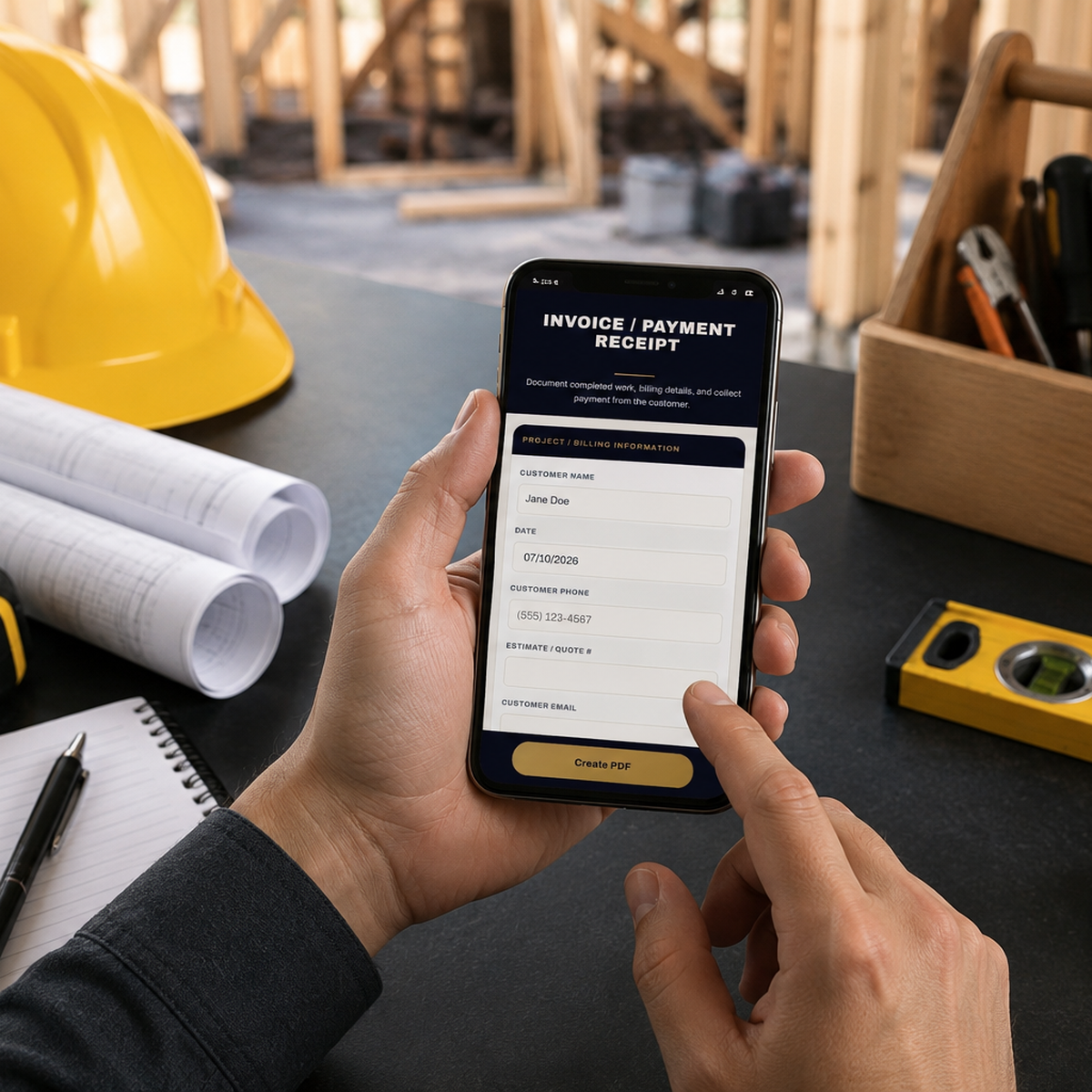
Tap a form, fill it out on your phone, and have your customer sign with their finger — right there on the spot. Tap Create PDF to text or email the finished, branded document before you leave the driveway. Nothing is stored online; customer info stays on your device.
Downloadable Fillable PDFs
All 10 forms as professional fillable PDF templates. Save them to your computer or phone, fill them in Adobe, save drafts, and reuse them on every job — yours to keep forever.
All 10 forms. Every stage of the job.
From the first phone call to final payment, there's a form that protects you at every step.
Client Intake Form
Capture customer, project, timeline & site details for new leads
Pre-Work Site Condition
Document existing conditions before work begins — protect yourself from "you damaged that" claims
Project Scope of Work
Included & excluded work, materials, timeline — dual signatures
Estimate / Quote Approval
Quote terms, deposits & authorization to proceed, dual signatures
Project Modification Request
Change orders — scope, cost & timeline, dual signatures
Project Completion & Satisfaction
Final walkthrough, remaining issues & payment status
Invoice / Payment Receipt
Itemized billing, auto-totals, customer signature
Payment Plan Agreement
Installment schedule with due dates & running totals
Material Selection & Acknowledgement
Approved materials, brands & styles before installation
Payment Protection Checklist
Dispute-readiness audit — organize your documentation
Signed before you leave the driveway.
Tap a form
Open the portal on your phone and pick the form for this stage of the job.
Fill & sign on the spot
Type in the details, then hand your customer the phone to sign with their finger.
Create PDF & send
Tap Create PDF to text or email the finished, professional document instantly.
Lock in $27 before it goes to $47
- All 10 professional contractor forms
- Mobile Forms Portal — fill, sign & send from your phone, no Adobe required
- Downloadable fillable PDF versions of every form — yours to keep forever
- Finger-signature capture for you and your customer
- Branded, professional PDFs generated on the spot
- Founding member price locked in — no subscription, ever
Price increases to $47 when founding member spots close.
7-Day Money-Back Guarantee
Try every form on a real job. If the toolkit isn't for you, email us within 7 days for a full refund — no forms to fill out for that one.
Before you ask
Do I need Adobe or any special app?
Is this a subscription?
How do I get access after I buy?
What phones and devices does it work on?
Are these forms legally binding?
Can I use these for my type of contracting work?
Stop chasing payments. Start documenting.
Every job you start without paperwork is a job you might not get paid for. Ten forms, two formats, one payment — protected for life.
Get Instant Access — $27One-time payment · Lifetime access · 7-day money-back guarantee