
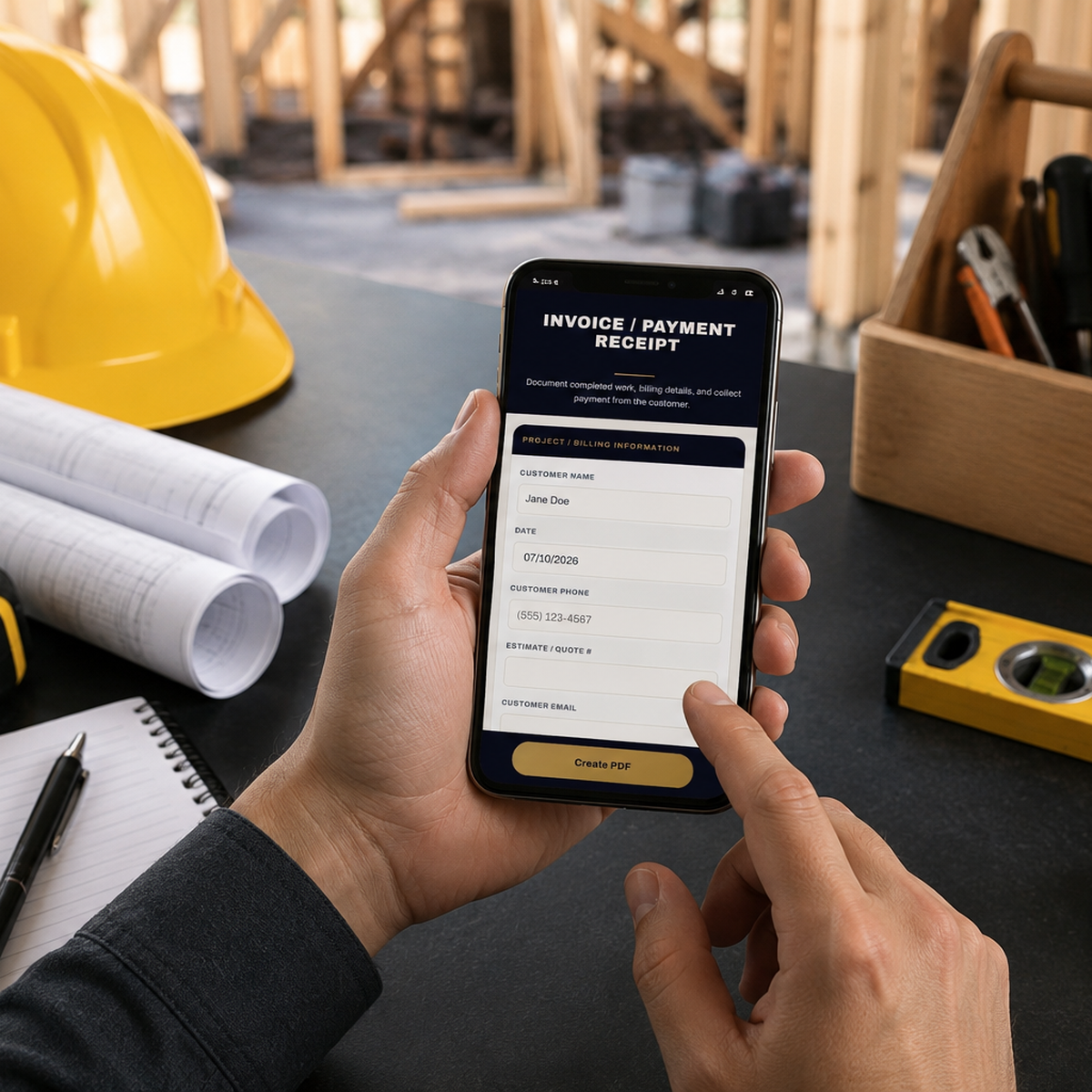
Fill. Sign. Send. On-Site.
Create invoices, estimates, change orders, and more — directly from your phone before you leave the job.
"Used the receipt form — super easy. I'm cancelling HouseCall Pro."
— Tony R., ARahm ServiceOne-time payment · No subscription, ever
✓ 30-Day Money-Back Guarantee
🛡️Built by an ACFE member with 10 years in banking and fraud prevention.
Everything you need. One payment.
25+ forms and tools, no add-ons, no upsells. Tap any category to see exactly what's inside.
👷 Build Your Crew Right
Hiring & Team +
The paperwork that protects you when you bring on subs or employees.
- Independent Contractor Agreement
- Employee Employment Agreement
- W-9 Information Collection
- 1099-NEC Prep Worksheet
- New Hire Information Form
- Emergency Contact Form
🚀 Set Up Every Job Right
Start a New Job +
Everything you need before work begins.
- Client Intake Form
- New Client ID Verification
- Pre-Work Site Condition
- Estimate / Quote Approval
- Project Scope of Work
- Service Agreement (state-aware)
- Payment & Deposit Terms
🛠️ Stay Covered Mid-Project
Manage the Job +
Keep scope changes from turning into disputes.
- Material Selection & Acknowledgement
- Change Order
💵 Collect With Proof
Get Paid +
Invoice and collect payment on the spot.
- Invoice / Payment Receipt
- Payment Plan
- ACH Authorization
- Telephone / Card Not Present Authorization
- Recurring Payment Authorization
- Peer-to-Peer Payment Confirmation
✅ Close It Out Clean
Finish the Job +
Proof the work was done and accepted.
- Project Completion & Satisfaction
- Material / Goods Delivery Receipt
🛡️ If Something Goes Wrong
Protect Your Business +
Your defense the moment a payment issue comes up.
- Cancellation & Early Termination Fee
- Payment Protection Checklist
- P2P Payment Verification Checklist
- Demand Letter
- Chargeback & Dispute Response Checklist
Always Growing, Always Current
New forms get added regularly — built from real feedback from real contractors using the portal — and every form updates instantly if requirements change, so you're never working from a stale version. Every founding member gets every update automatically, at no extra cost.
See it in action
This demo works exactly like the real Invoice form in your Contractor Portal — same fields, same signature capture, same PDF output. Fill it out, sign with your finger, and download your own sample PDF right now — free.
No purchase required — this won't charge you or save your info.
Fill. Sign. Send.
This is a working sample of the toolkit's mobile forms. Go ahead — use it.
You Just Used the Portal
You just filled, signed, and generated a PDF — in under a minute, right from your browser. That's how every document in your membership works: contractor agreements, invoices, chargeback protection, and a growing set of tools built to help you document and get paid for every job — right from your truck. Yours just won't have the sample watermark; they'll be fully branded and ready to send.
Lock in the $27 founding member price before it goes to $47.
Unlock EverythingReal documents. Not mockups.
Every sample below was generated by the actual forms in your membership — fill it out, sign with your finger, and it looks like this every time.
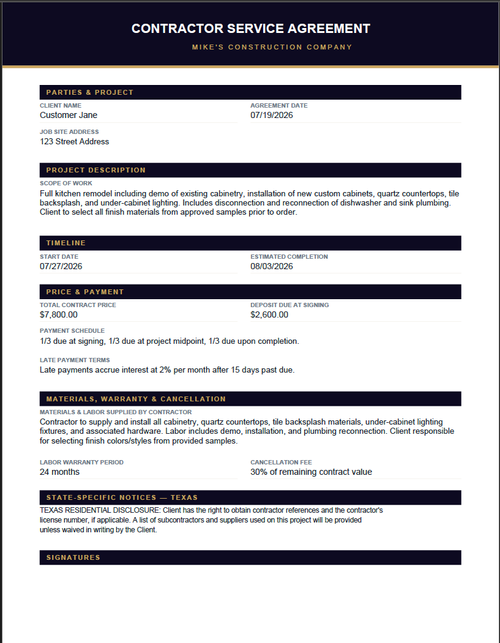
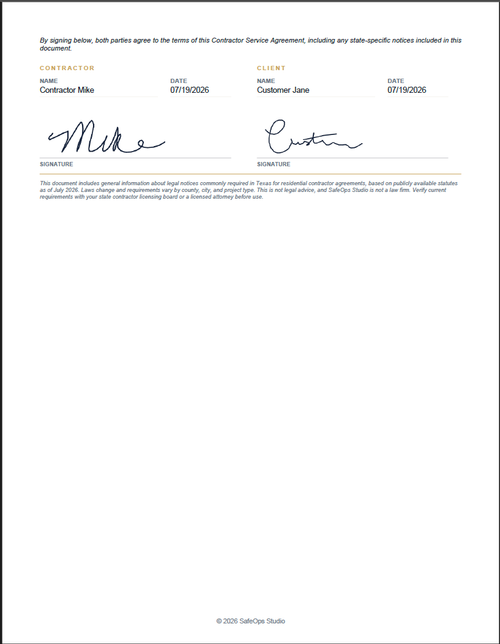
Service Agreement
State-aware, binding, and signed on your phone before the job even starts.
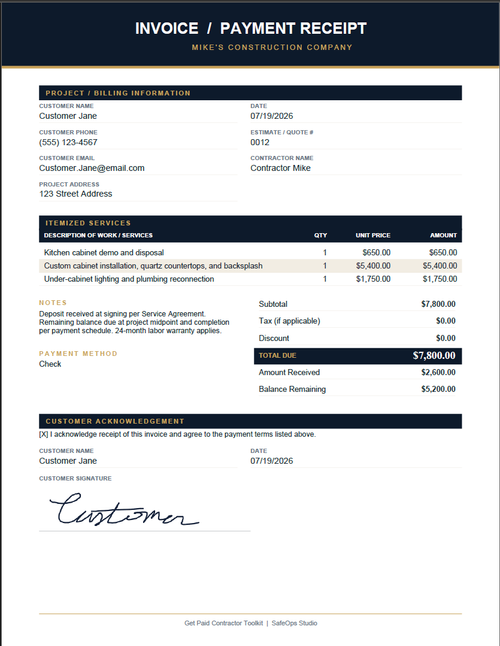
Invoice / Payment Receipt
Itemized, auto-totaled, and signed off by the client on the spot.
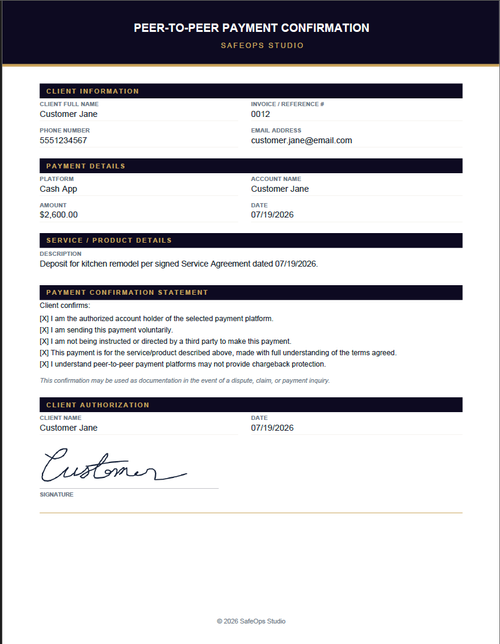
Payment Confirmation
Documented authorization for Zelle, Venmo, Cash App & PayPal payments — your defense before a dispute ever happens.
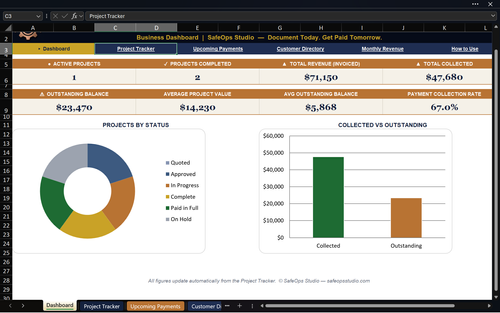
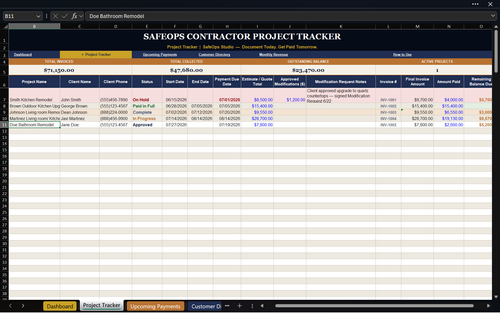
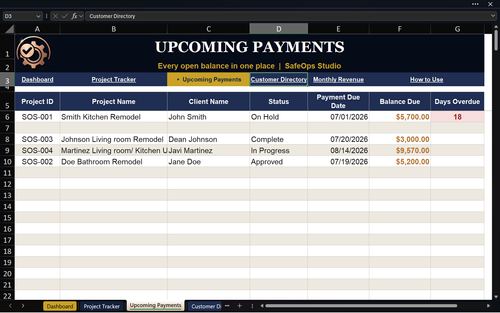
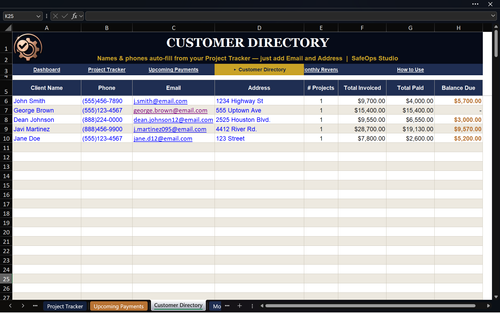
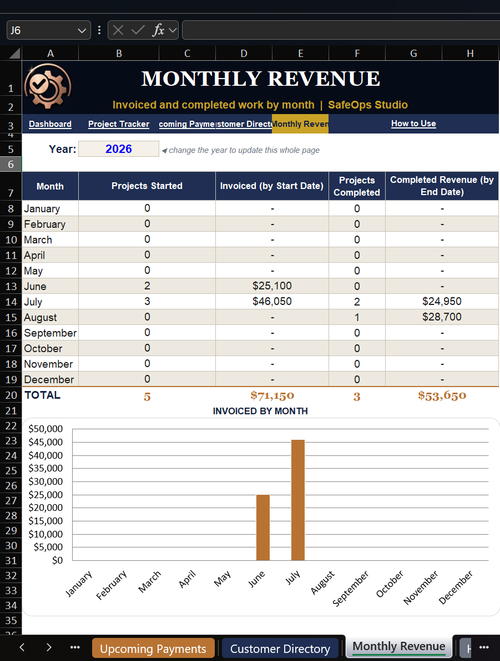
Every Job, One Spreadsheet
Track invoicing, payments, upcoming due dates, and your full customer list — all in one place.
Signed before you leave the driveway.
Tap a form
Open the portal on your phone and pick the form for this stage of the job.
Fill & sign on the spot
Type in the details, then hand your customer the phone to sign with their finger.
Create PDF & send
Tap Create PDF to text or email the finished, professional document instantly.
Lock in the founding member price
Every form and tool from every category above — Hiring & Team, Start a Job, Manage the Job, Get Paid, Finish the Job, and Protect Your Business — plus the Project & Payment Tracker Pro spreadsheet.
Get Instant AccessPrice increases when founding member spots close.
30-Day Money-Back Guarantee
Try every form on a real job. If the bundle isn't for you, email us within 30 days for a full refund — no forms to fill out for that one.
Before you ask
Do I need Adobe or any special app?
Is this a subscription?
What's in the new Hiring & Team section?
How do I get access after I buy?
What phones and devices does it work on?
Are these forms legally binding?
Can I send my client a calendar invite for the job?
Can I use these for my type of contracting work?
Stop chasing payments. Start documenting.
Every job you start without paperwork is a job you might not get paid for. Contracts, invoices, fraud protection, and tracking — all in one payment.
Get Instant AccessOne-time payment · 30-day money-back guarantee